▶️ To login the Management Console open console.forgetmenot.chat in a browser. Sign in with your Forget Me Not® credentials or select one of the options to sign in with a social account.
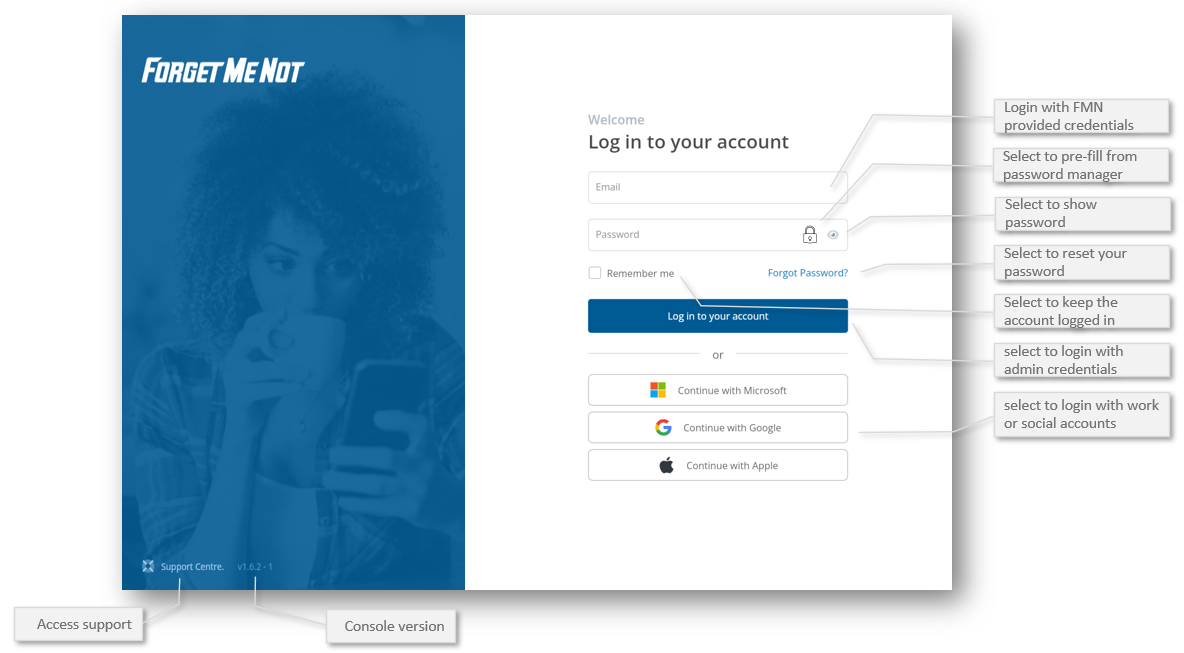
✅ If you have trouble logging in make sure your account has Admin access. You can always reset your password using Forgot Password if you can't remember it.
⚠️ It's good to know the console version so you can check for features and ensure learners are using the correct mobile app version
✅ As of Management Console 1.5.X password manager integration is now supported. Your password manager will now offer saved passwords when the email or password fields are selected.
Was this article helpful?
Still need help?
Contact us